Blog Archive

Showing posts with label Computer. Show all posts

Tuesday, February 11, 2020

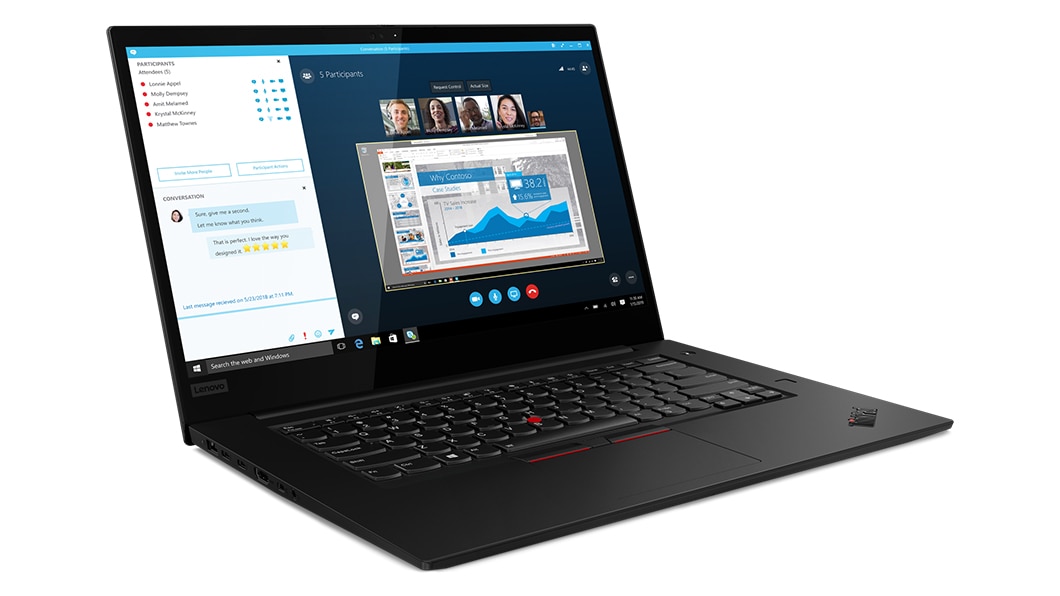
Low Spec Lenovo ThinkPad X1 Extreme Gen 2 (X1E2)

Thinking about purchasing the top-of-the-line ThinkPad laptop Lenovo has to offer? The good news is you don't have to spend outrageous prices ($2,000 - $3000) that Lenovo charges to access a great laptop. I got a low spec ThinkPad X1 Extreme Gen 2 (X1E2) two months ago and have been daily used ever since. And it turns out, as opposed to popular belief, it is still capable of putting out sufficient performance that is more than enough for 99% of the users.

How low of a spec you may ask?
Intel i5 9300H 2.4GHz 4.1GHz
NVIDIA GTX 1650 Max-Q
8 GB RAM (Upgraded to 16 GB)
256 GB Pci-e SSD (Upgraded to 1256 GB)
1080p 500 nits display

Now, before any of you lose your mind. The RAM and storage are both upgradable, so immediately upon receiving the laptop, I put in an additional 8 GB of RAM that increases the capacity to 16 GB. Then an additional 1 TB of Samsung Pci-e M.2 SSD was put in in the empty slot. With some peace in mind, let's talk about the elephant in the room - the processor.

There are several reasons I chose not to upgrade the base CPU. (1) The types of software I typically run on my computers. The intensive tasks I use my computer for are dealing with medium-sized Excel files and light gaming, which are not CPU intensive. For the foreseeable future, I am not going to do any rendering, modeling, or intensive tasks. (2) Temperature. X1E2 is extremely compact at 0.72 inches tall. If the machine has an i7 or i9 processor, which has more core counts at 6 and 8 cores, this means higher temperatures, leading to the fans turning on more frequently. In my time of use, the fans rarely turn on because the i5 runs cool. (3) Battery life. In my typical usage of 40% brightness, the i5 in the X1E2 can easily last 8 to 9 hours which is perfect for a full day, there is no way an i7 or i9 can come close to that.

Here are some data to prove my point:
On a typical day, with five applications and a dozen browser tabs open. The CPU utilization never passes 15% and RAM utilization hovers around 40%. And the temperature hovers between 40C and 50C.
On a heavier load, such as running an AA game, CPU and RAM utilization go up to 70%, and the temperature is in the mid-70sC.

-------------------------------------------------
I admit, for a AAA title such as GTA V, the i5 is in trouble. So you have to significantly turn down CPU-intensive settings, which is the "Population density" in this case. Then the FPS will be steady at 60 without any stuttering.

Monday, August 19, 2019

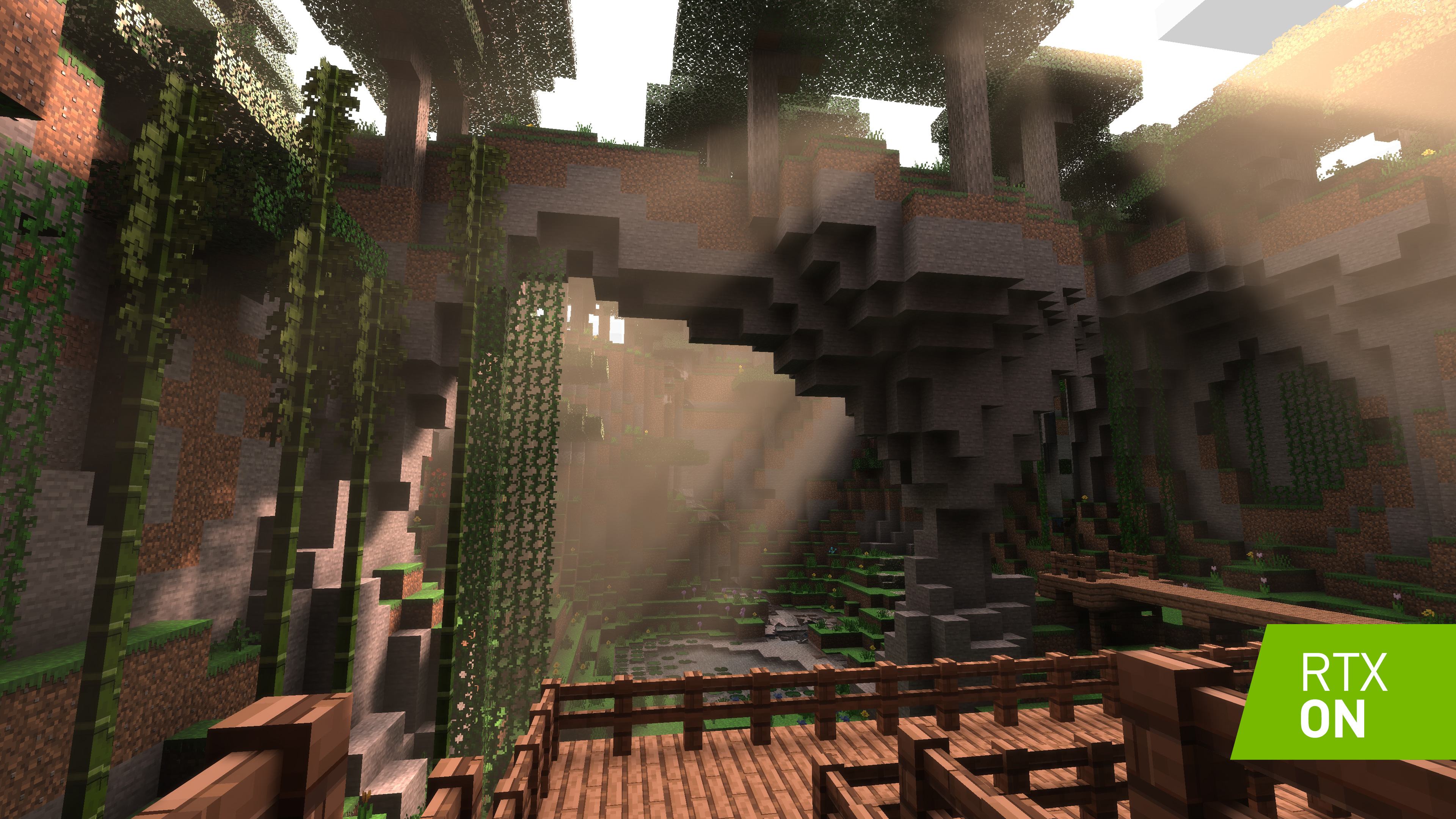
Ray Tracing for Minecraft Delivers Huge Graphical Improvement

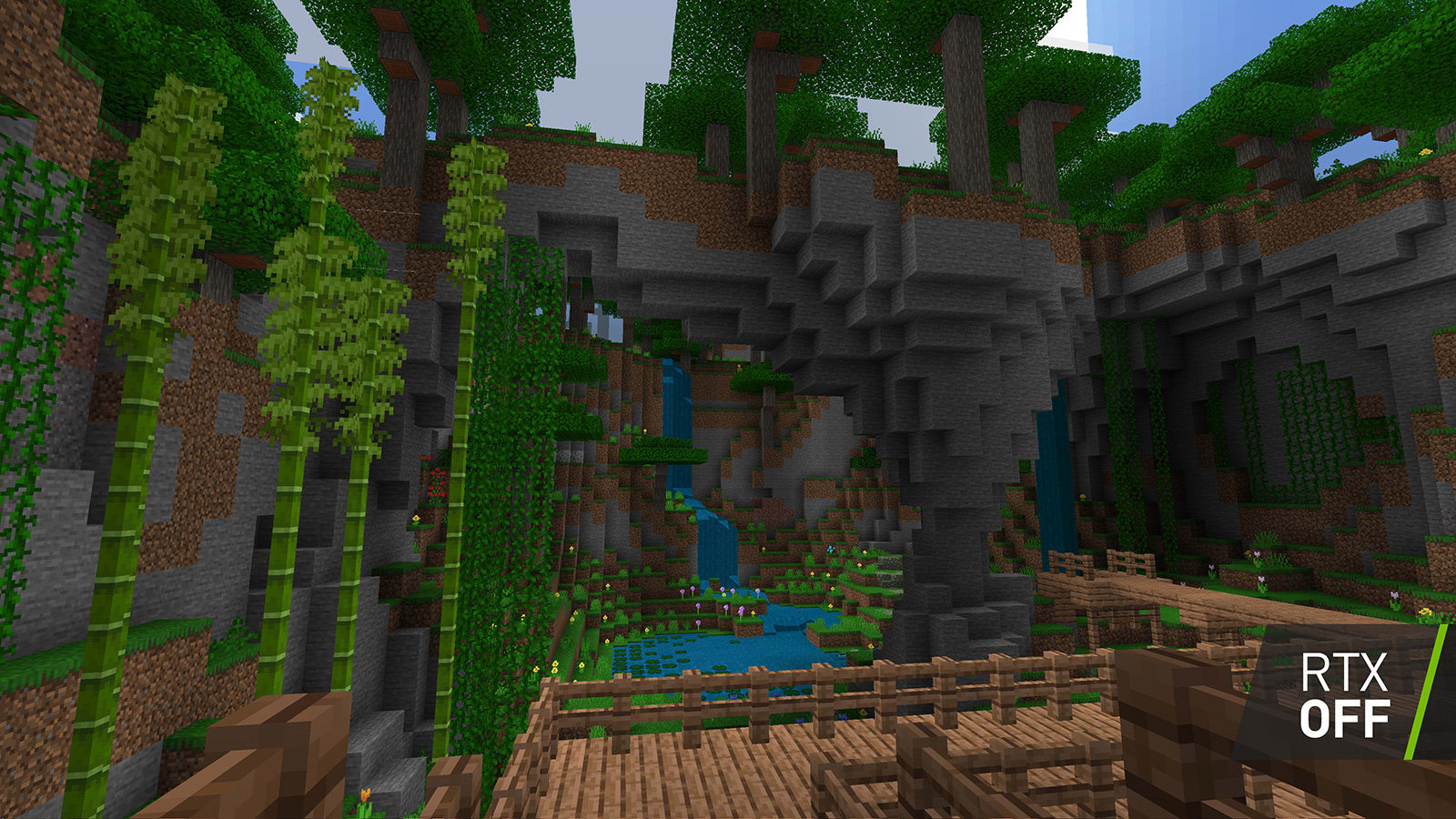
Almost a decade old game renowned for its limitless creativity that players enjoy is getting a major graphics overhaul. Minecraft is a genre in and of itself which sets the bar in the open-world sandbox section. And it looks like Minecraft is going for the best, once again, in terms of the graphics technology.

Ray tracing is still at a very young stage with limited supported games and developers working that are only compatible with the latest NVIDIA's 20 series RTX graphics cards. However, the potential of ray tracing technology is groundbreaking. Ray tracing can drastically improve the realism that focuses on light reflection, and depending on how the proximity of the objects change, the light will react accordingly.


Wednesday, January 9, 2019

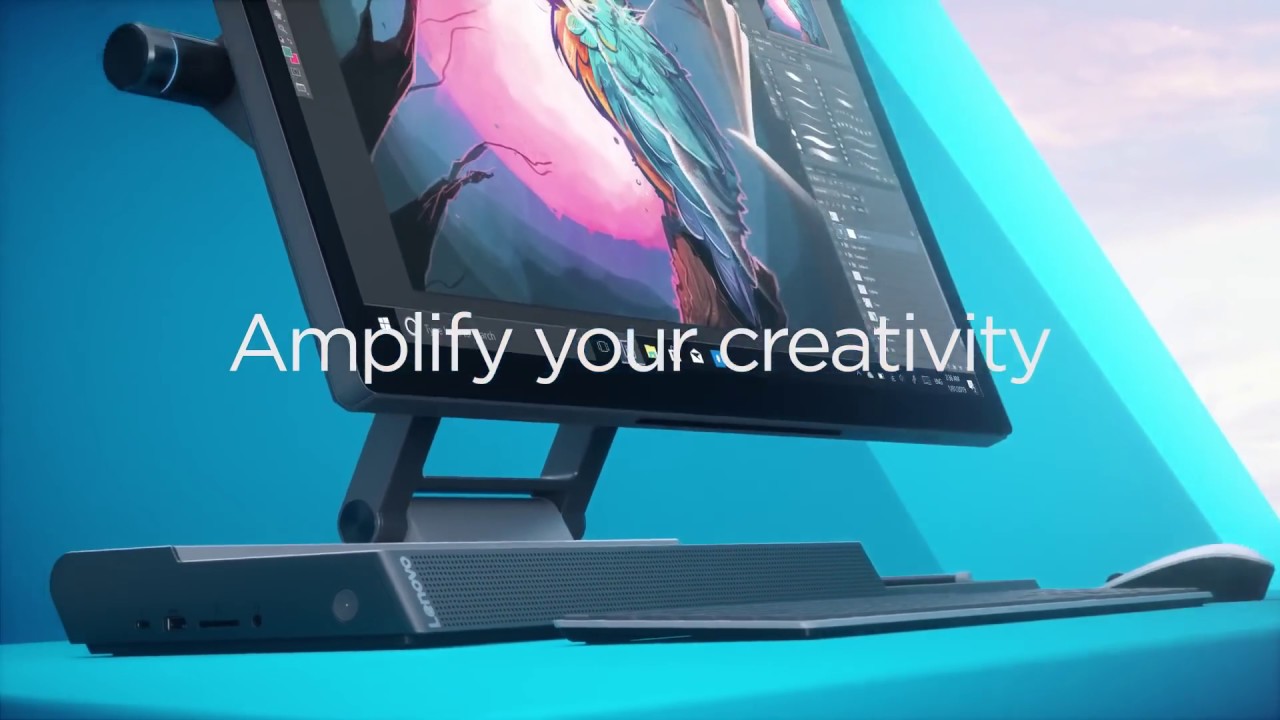
Lenovo Yoga A940 - $1000 Cheaper Microsoft Surface Studio Competitor


Microsoft Surface Studio finally gets its first competitor on this very niche market targeting animated or graphic design studios. Unveiled in CES 2019, Lenovo is delivering their all-in-one PC alternative at a much lower price and offers more useful features. Here are some of the highlights:

1. Precision Dial

A fully customizable nob which can be located on either side of the display that has a button at the end, and two different size dials. The specific functions of all the controls can be different based on application, which is especially useful for content creators. 


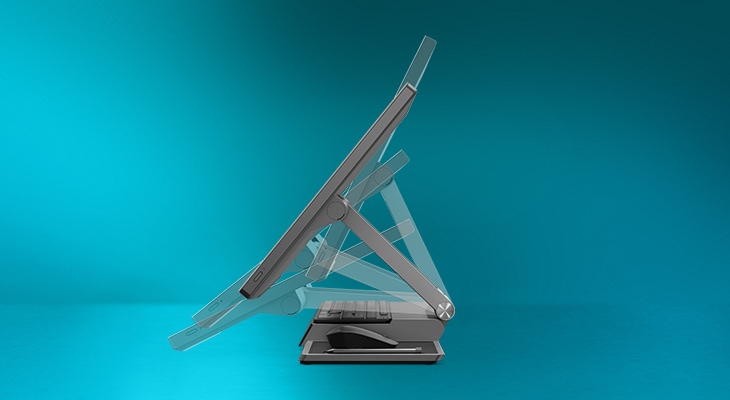
2. Tilting Screen

The 27-inch touch screen display is available in QHD or 4K resolutions and has the ability to tilt to 25-degree crafting mode. So creators alike can get up close and personal with their work. 


3. Included Peripherals 

Other than the Precision Dial, included peripherals are a keyboard, mouse, a station to wirelessly charge your phone and the Active Pen. You can cleverly store away all the accessories under the display to clear up room for the screen to lower down. 


Other notable features about the Y940 are the desktop-class Intel Core i7-8700 processor and the AMD Radeon RX560 graphics. The minor details also include the five speakers for the immersive audio and video with Lenovo generous amount of I/O ports. All of this for the starting price of $2350, which isn't cheap by any means, but if your line of work requires creativity in art, the Y940 would seem like a bargain.

Sunday, May 6, 2018

Samsung Releases 970 PRO and EVO SSDs

Based on the M.2 form factor and PCIe Gen 3 with 4 lanes, Samsung unveils their third generation solid state drive lineup. The newest 970 PRO and EVO maximizes NVMe bandwidth to deliver unparalleled performance on processing large volumes of data such as 3D or 4K graphics and data analytics.

970 PRO will have a read speed up to 3,500 MB/s and a write speed up to 2,700 MB/s.
970 EVO will have a read speed up to 3,500 MB/s and a write speed up to 2,500 MB/s.
That's 30% faster than the previous generation on write speed.

Samsung also includes the improved warranty, the SSDs will feature a 5-year warranty or 1,200 terabytes, a 50% increase in write endurance rating compared to the previous generation. Overheating has been addressed as well, a heat spreader and new nickel-coated controller can lower the operating temperature. Beyond that, there will be Dynamic Thermal Guard that automatically monitors and maintains optimal temperatures.

970 PRO will start at $329.99 with capacities in 512GB and 1TB.
970 EVO will start at $119.99 with capacities in 250GB, 500GB, 1TB, and 2TB.

The 970 PRO and EVO will be available for purchase starting May 7, 2018.

Saturday, January 20, 2018

More Details Unveiling Intel-AMD Processor and Graphics Combo

Welcome, I apologize for the lack of content for the past month.

As CES 2018 is finishing in Las Vegas, I'm hoping for more interesting topics to talk about. Now, we have learned more details about the unprecedented partnership between the two computer chip rivals, Intel and AMD.


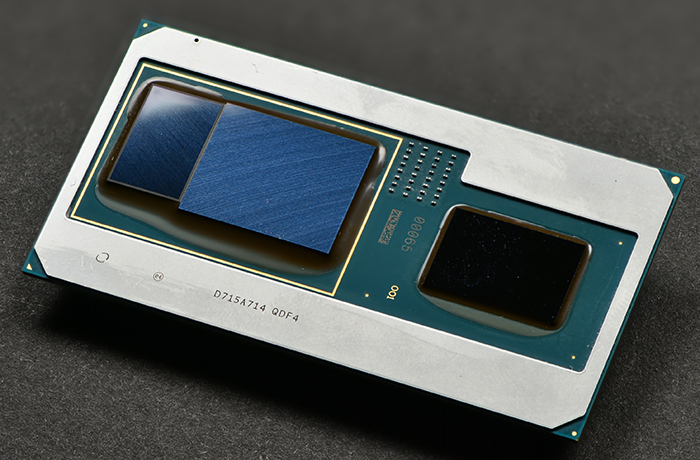
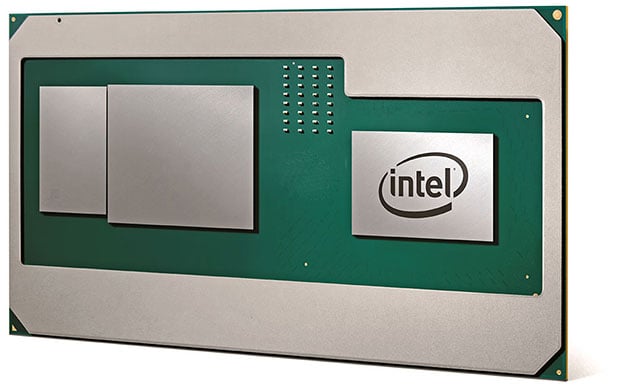
This chip will be launched under the 8th generation of Intel H series Core chips sometime this year, manufacturers like HP and Dell have already been confirmed. Like we've been covered before, this new Intel-AMD processor and graphics combo utilize an Embedded Multi-Die Interconnect Bridge (EMIB) that combines Intel's CPU, AMD's GPU and graphics memory in a small factor that fits in ultrabooks, or at least thin and light laptops. 


Performance wise, it is expected to beat NVIDIA's GTX 1050 4GB but not exceed the Ti version. Truthfully, the performance is anything but groundbreaking, however, considering the overall package you are getting, it's an excellent offer. Here are some benchmarks Intel has released themselves, no independent testing has been allowed just yet. 


Thursday, November 9, 2017

Intel and AMD Teaming Up - wait...WHAT?!

Yes, you read that title correctly. And no, you are not hallucinating.

As insane as that may sound, Intel and AMD are actually collaborating. Combining Core processor with Radeon graphics unit, they are aiming for a massive performance gain in the thin and light laptops. After a year of working together, Intel's 8 Generation Core H-series processors will be paired with AMD Radeon Vega in a single, multi-chip modular package (MCM). HBM2 memory will be used, it is made possible by Embedded Multi-Die Interconnect Bridge (EMIB), which is an intelligent bridge that allows information to swiftly pass through between the discrete pieces of silicon.


For a more visual demonstration on how Intel and AMD pulled this off:

Friday, October 27, 2017

Intel Impressive Q3 Earnings, Stock 17 Year High, Strongest day for 3 Years

Just before everyone heads off to their weekend,  Intel posted an impressive Q3 earnings despite insurgency from AMD's Ryzen. Every Intel's division beat out expectations, certainly from the PC community due to the rise of AMD in 2017, which positioned itself as a strong and direct competitor to Intel's core business after a three-year break, Intel has been a monopoly within the time frame.


On Friday, Intel stock (INTC) closed up 7.4% at $44.40.


  • Earning Per Share (EPS): $1.01 vs $0.80 expected
  • Overal revenue: $16.15 billion vs $15.73 billion expected
  • Client computing revenue: $8.86 billion vs $8.68 billion expected
  • Data center revenue: $4.88 billion vs $4.79 billion expected

However, despite Intel's PC business still being the company's biggest earner, the revenue is basically flat compared to a year ago. Meanwhile, what's really making a growth is from their data center, Internet of Things (LoT), and memory businesses collectively grew 15 percent year-over-year. 
  • Data center group grew 7% 
  • LoT division grew 23%
  • Nonvolatile memory group grew 37%
  • Programmable solutions group grew 10%
Still managing to secure a 78% CPU market share, spreading focus above and beyond, Intel found itself in a really good position after AMD reentered the PC processor business attacking both mainstream and server levels.

-------------------------------------------

For more information:
MarketWatch: https://goo.gl/nkVjnL
CNBC: https://goo.gl/y9Yc19
Hot Hardware: https://goo.gl/zREaeo
PassMark Software: https://goo.gl/S5NAz5

Saturday, September 30, 2017

Intel Announced its 8-Generation Desktop Processors

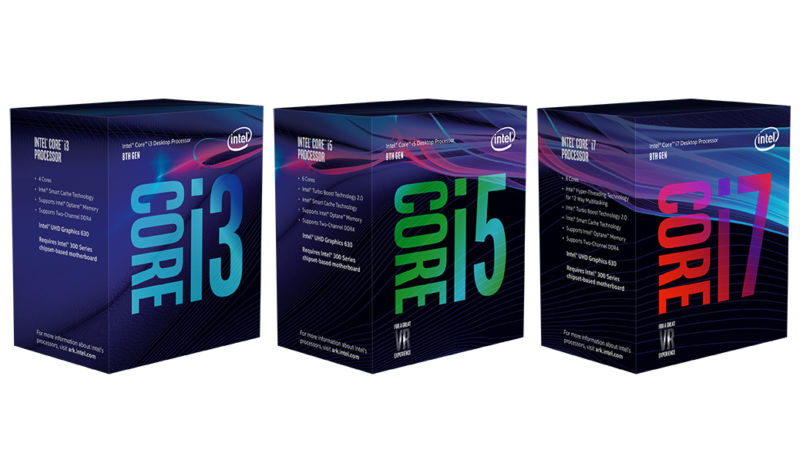
After Intel released laptop versions of these Coffee Lake processors back in August, its now the desktop's turn. The main difference between Coffee Lake and the previous generation is the core count. Intel increased the core count across the board, the i3 processors are now 4 cores (up from 2), the i5 processors are now 6 cores (up from 4), and the i7 processors are now 6 cores with hyper-threading. (Note: full line-up below)

Intel claims the new chips are now 32% faster than the previous generation and 65% faster than the generation from 3 years ago. And i7-8700k as the "best gaming desktop processor ever." The structure is still fairly similar to the last generation, coming out as a 14++nm node. But Intel promised later 8 generation chips will be 10nm architecture. Lastly, the motherboard chipset has to be Z370 in order to fit these.

Full Line-up at Launch:
  • i3-8100, 4 cores / 4 threads at 3.6GHz (approximately $117)
  • i3-8350k, 4 cores / 4 threads at 4.0GHz (approximately $168)
  • i5-8400, 6 cores / 6 threads at 2.8GHz boost to 4.0GHz (approximately $182)
  • i5-8600k, 6 cores / 6 threads at 3.6GHz boost to 4.4GHz (approximately $257)
  • i7-8700, 6 cores / 12 threads at 3.2GHz boost to 4.6GHz (approximately $303)
  • i7-8700k, 6 cores / 12 threads at 3.8GHz boost to 4.7GHz (approximately $359)

Sunday, September 24, 2017

Lenovo Retro 25th Anniversary IBM ThinkPad Laptop Leaked

Looks like Lenovo is set to release a 25th-year anniversary IBM laptop with a retro classic look that we are all very familiar with. Although Lenovo bought IBM's ThinkPad division some years ago after their years of collaboration, the ThinkPad series is still one of the most, if not the most, popular laptop series in the market. This special edition is going to be called ThinkPad 25, and it is set to release in the next month. Details of the specification, design, and photos have been leaked.
(Complete spec sheet below)
With a similar T470 shape, this laptop has a 14inch 1080p IPS display and a beefy Intel Core i7 processor with 16GB of RAM. Also paired with a NVIDIA GTX 940mx graphics, slightly graphic intensive operations are going to destroy the competition. The beloved iconic keyboard is back. It sports a traditional TrackPoint from ThinkPad and a blue ThinkVantage "Enter" button. The good old layout is back too, and it looks like it's going to have the award-winning keys for its incredible comfort.

Other details such as the volume controls and power button are where they are supposed to be; as well as the fingerprint sensor, although it has upgraded, is still at the old position. IBM doesn't own any part of ThinkPad anymore, therefore their logo can't be on the bottom right corner, but the ThinkPad logo is going to be colorful. Other perks include a removable battery, Windows Hello, and LTE support.


Specs:

  • Name - Lenovo ThinkPad 25
  • Processor (CPU) - Intel Core i7
  • Memory (RAM) - 16GB
  • Storge - 512GB SSD
  • Display - 14inch 1080P IPS
  • Graphics (GPU) - NVIDIA GTX 940MX


Ports:

  • 3 x USB 3
  • 1 x USB Type-C
  • SD card reader
  • HDMI
  • Ethernet 
More photos:


Originally leaked by WinFuture: http://winfuture.de/news,99749.html

Thursday, August 10, 2017

Transmit Unhackable Data by Using Quantum Satellite

For the first time, China demonstrated the world a way of sending data over long distances that is potentially unhackable. By relying on quantum cryptography, the satellite can send data via photons from space to Earth. This technology could be huge for next generation cybersecurity, and groundbreaking for making safer businesses, also more difficult for governments to hack into communications.

Last August, China launched a quantum satellite into space, a move which was described as a "notable advance" by the Pentagon. By using this satellite, researchers at the Quantum Experiments at Space Scale (QUESS) project were able to transmit secret messages from space to Earth at a further distance than ever before.

Quantum key distribution (QKD), a typical encryption technology relies on traditional mathematics, only now it is paired with a faster and more powerful computer called quantum computing. QKD then works by using photons, the particles that transmit light, to transfer data.


This encryption technique is supposedly unbreakable mainly because the data is carried via photon, which cannot be perfectly copied and any attempt to measure it will disturb it, meaning that whoever tries to intercept the data will leave a trace.


Thursday, June 1, 2017

ASUS & Acer Announce NVIDIA G-Sync HDR Ultrawide Monitors

Keeping the promise NVIDIA announced earlier this year to release its 4K G-Sync HDR monitors, partners from Asus and Acer are announcing four new displays, two of them being ultrawide.


The new premium gaming monitors include 35-inch curved G-Sync HDR 21:9 with a 3440x1440 resolution and an 1800R curvature. Both of these have AU Optronics' new 35-inch LCD panel with a refresh rate of 200Hz and a peak brightness of 1000 nits featuring Quantum Dot Enhancement Film technology for impeccable color accuracy. Obviously, display signal has to be carried through DisplayPort in typical G-Sync fashion.

Two additional similar monitors will also be released without the ultrawide panel. Comparing to the ones they showed at CES, the latest models include some minor enhancements, more attractive design for better ergonomics.

Wednesday, May 31, 2017

Intel New X-Series Enthusiast CPU - $1999 Core i9 & 7900X Overclocked to 5.7GHz on Liquid Nitrogen


Intel's Skylake-X enthusiast HEDT family of processors has officially announced at Computex in Taipei a couple of days ago. Expanding Intel's high-end lineup, from 4 cores to 6 cores to 8, 10, 12, 14, 16 then a maximum of 18 cores / 36 threads. The new Core-X series includes both Intel's Skylake-X architecture as well as the Kabylake-X architecture. The new chips will be running under the X299 platform on the LGA 2066 socket.


 Overclockers are already putting them to full use:

Renowned overclocker Elmor broke the 10-core Cinebench world records with Intel's latest i7 7900X 10-core $999 chip. By using liquid Nitrogen to cool the processor, he was managed to achieve 5.7GHz. 


Wednesday, May 24, 2017

Microsoft New Surface Pro Release

Yesterday - May 23, 2017 - Microsoft released their next Surface Pro in Shanghai, China. The product release date and some technical specifications were officially published by one of the Microsoft top employees via Twitter to the public at the Surface Laptop's product release on May 2nd. However, some people still managed to not pay attention and bought the old Surface Pro 4 in the mean time.

Anyways, the New Surface Pro doesn't have a whole lot of design change if you look at it in a distance, but multiple subtle tweaks are made to enhance the users experience. Such as the edges and corners are more rounded then added a soft material for a more pleasant grip. Also, the fan exhausts around the sides are thinner. And the kick stand in the back can now go much further back in studio mode.

On the inside, the New Surface Pro is now running Intel's Kaby Lake processors, either Core m3 with 615 graphics or Core i5 with 620 graphics and or Core i7 with 640 graphics. And the Core m3 and i5 models will now be completely fan-less which I am really skeptical about, especially the i5 versions. Despite Intel's Kaby Lake processors now runs more much efficient at a low temperature, but i5 is still a full laptop CPU and it needs a proper cooling solution.


For other specifications, system memory is ranging from 4 GB to 16 GB. Storage is ranging from 128 GB to 1 T using SSD. Lastly for price, the New Surface Pro is starting at $799, and it's top model is $1700. Also note that, the Surface Pen, keyboard as well as any other accessories are NOT included in the price. Strange, I thought Microsoft is marketing the Surface Pro as a laptop.

Here's the official New Surface Pro release trailer.
If you are wondering the music is "Oh My My" by OneRepublic feat. Cassius.


Sunday, April 16, 2017

Building a New PC - Finale

Welcome, to this last part of Building a New PC series. In this finale, I will be putting all the components that I mentioned in the previous post together. Here is the very general guide on building a PC, I strongly advise you to learn from YouTube videos and experience builders in online communities. 

First of all, I took out the motherboard, it's the first thing that should be worked on because everything in the computer is directly connected to the motherboard. Then I placed the motherboard on the product box because cardboard isn't conductive and we are dealing with technology here. 

After that, I placed the CPU in the socket and the RAM in the slots (remember to open them first)


Then, it's time to install the CPU cooler. For mine, I wanted to change the fan on the Corsair H60 Cooler because it's way too loud for me. So I bought one Be Quiet Silent Wings 3 fan, it's a really quiet fan but still remains in high-pressure.


Lastly, I fitted my motherboard in the case, and DO NOT forget to install motherboard shield first. It's the silver shiny rectangle that goes in the back of your case. Then once the motherboard is screwed in, I installed the CPU cooler and the radiator is facing upward. It is not an idle position due to m-ATX case space limitations. Facing upward makes the air harder to blow against gravity, that's why most radiators face the back of the case. 
Then I put in the PSU and routed the necessary cables to the back, and left the unnecessary ones in the front due to limitations on cable management. Most people custom PC route as many cables to the back as possible for air flow and beauty (if the case has a side window). Once that's done, I installed the GPU, SSD and hard drives. Finally, I connected all the cables to different parts and to the motherboard for powering the whole system. If you are going to use the same or a smaller case than me, you better have good patience because everything is really tight together. 

Since this case doesn't have a side window, I didn't care much about cable management as long as the PC has a good positive air flow. If you want a PC with a side window, go for a modular PSU because they are much easier to work with and you can take out any unnecessary cables. Also, modular PSUs don't have ugly ketchup and mustard cables like mine. And LED lights are always necessary for windowed PCs.

Sunday, April 9, 2017

Building a New PC - Part 3

Continuing on this series, I then listed all the parts I need in a Microsoft Word document and check the compatibility of each component. Many people use PCPartPicker.com which checks all the compatibilities from the components for you, but I like to check them myself because it's more enjoyable and going through all the details of each component is an important step. After checking, I ordered new parts for my next PC from Amazon. Here is the complete spec list:

Intel i5-7500 @ 3.4 GHz
ASRock B250M Pro4
Kingston HyperX 8 GB DDR4
MSI Gaming X GTX 1060 6GB
Corsair H60 (with Be Quiet Dark Wing 3 fan)
Samsung 850 EVO 500GB
Western Digital 1TB
Cooler Master Silencio m-ATX case


In case you haven't realized, my next PC build is aiming for silent yet not compromised mid to high-end PC that is also fast with low temperatures. With the Be Quiet Dark Wing 3 fan, MSI Gaming app to control the GPU fan speed, and the foam dampening materials on the case, the noise level is reduced drastically from my last PC build.

Saturday, March 25, 2017

Building a New PC - Part 2

For the next week, I auctioned the CPU, RAM and the GPU off eBay. This was my first time using eBay so I went online and searched up the prices other people have put up for the products that I was selling. Also, I looked some other useful hints about auctioning off eBay. I found out that, in order to have a good auction sell, I needed to start my auction around 7:30 PM on a Sunday and set to end in 7 days, also I set the price at a relatively low price. This tactic is very useful because around that time on Sunday, eBay gets the most traffic on their site, then, when the auction ends, it will end at another high-traffic time period. So when I started, I immediately got multiple watchers on my products, and closer to the end, they were bidding like crazy, because the auctions also end on a Sunday with lots of traffic.

After researching, I took multiple pictures for each product, and fill out as much information as possible on eBay and set the shipping for free (because when people are searching, it will show a banner that can attract people). For the CPU, I had an i5 4590, I set the starting price at $60; For the RAM, I had 16 GB DDR3 and set it at $40; lastly for the GPU, I had MSI GTX 960 4GB and set it at $60. For all of them, I didn't put up a buy-out price because I wanted to see how high people are willing to place their bid at. I thought maybe when there's no limitation, people are willing to bid higher than I predicted.

As it turns out, the final prices were $140, $90 and $135. They were all higher than I predicted. Before you think, the prices are so much lower than the original prices, you need to take account that these are old and outdated hardware. And I compared to other auction with the same products, by using my tactic, I even sold mine much higher than others who were experienced sellers with positive reviews.

Here are the photos I took:


To Be Continued...
Next episode -- Choosing my next PC parts and building it

Interested? Stay tuned for more this series and share this on social media. Thanks a lot and enjoy!